
HWTimeSaver Discord Bot Guide for Hero Wars Alliance

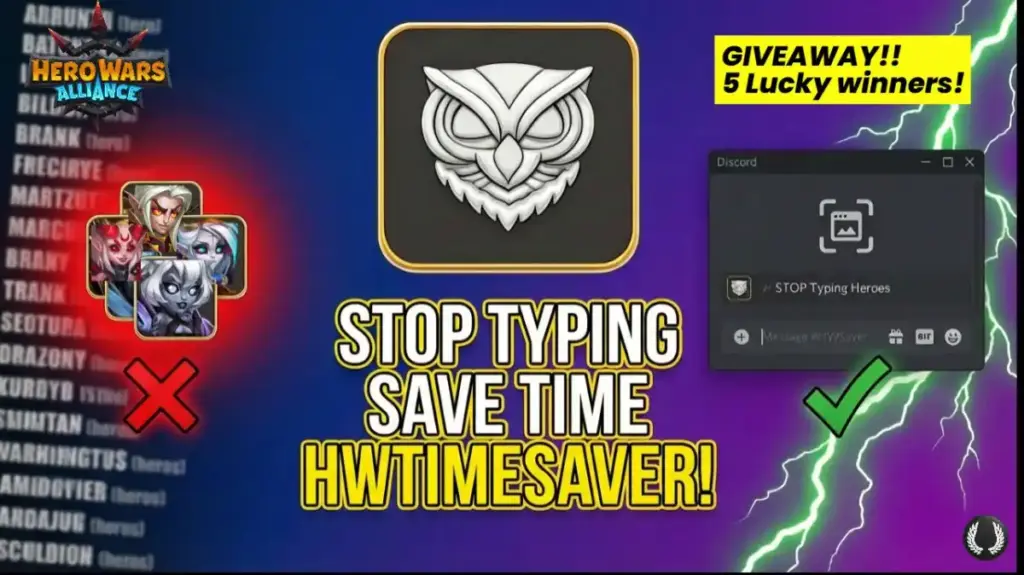
Introduction: Unlock Faster Planning in Hero Wars Alliance
Time is precious in Hero Wars Alliance, and even simple planning for Guild War, Guild Championship, or Arena battles can become tedious and error-prone. That is where HWTimeSaver comes in. This Discord bot transforms the way players prepare, turning screenshots into usable commands and simplifying every step of planning. With it, tedious tasks become quick, efficient, and much less frustrating.
In this HWTimeSaver Discord bot guide, we explain exactly what it does, why its creator built it, who developed it, and how it streamlines your Hero Wars Alliance experience without adding complexity.
What is HWTimeSaver?
HWTimeSaver is a Discord bot designed specifically for Hero Wars Alliance players. Its main goal is to save time, reduce mistakes, and make planning cleaner and more efficient. Rather than adding complexity, the bot removes friction from everyday tasks, allowing players to focus on gameplay instead of tedious preparation.
Players who have tried manual planning in Guild War or Global Championship know how frustrating it can be. Typing numerous hero names, checking spelling, correcting typos, and misclicking can quickly turn a simple task into a tedious process. HWTimeSaver addresses this exact problem.
How HWTimeSaver Works: HWTimeSaver Discord bot guide
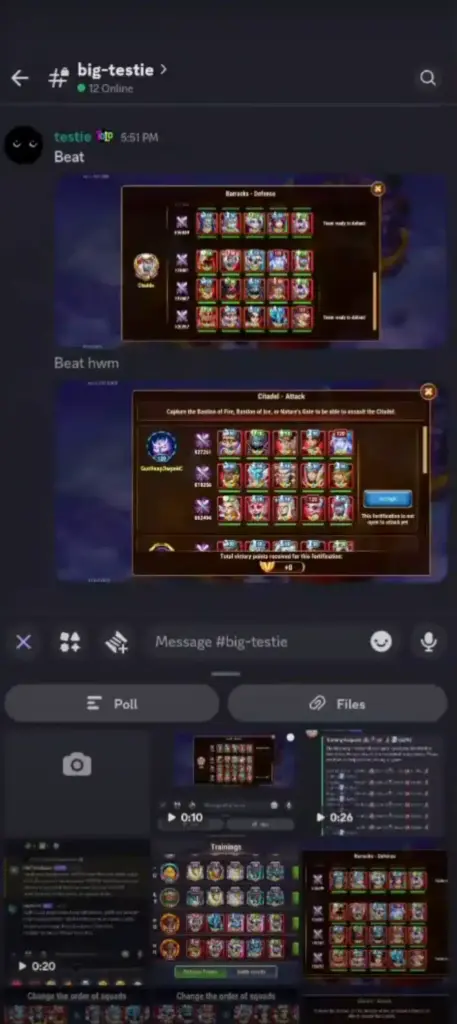
At its core, HWTimeSaver allows players to plan using screenshots instead of manual typing. By taking a screenshot of a Guild Championship, Guild War, or Arena setup and uploading it, the bot converts the image into clean, ready-to-use Discord commands compatible with bots like Hero Warbot.
This process eliminates the need for spreadsheets, pen and paper, or saving multiple screenshots for later reference. With just a few clicks, players can prepare efficiently, saving significant time and avoiding errors.
Origins and Development of HWTimeSaver
Initially, HWTimeSaver was a hidden tool made for a single guild. Haddr, a Hero Wars Alliance player and professional software developer, created it to help his guild spend less time on planning and more time enjoying the game.
As the bot’s usefulness became apparent, interest spread naturally through the community. Other guilds saw it in action, and over time, demand grew for a public version.
Evolution to the Current Version: HWTimeSaver Discord bot guide
HWTimeSaver has undergone years of testing, iteration, and rebuilding. The current public version represents the third full rewrite, built across three programming languages. It now includes over seventy thousand lines of code, more than seventeen hundred automated tests, and uses twenty gigabytes of data for AI training.
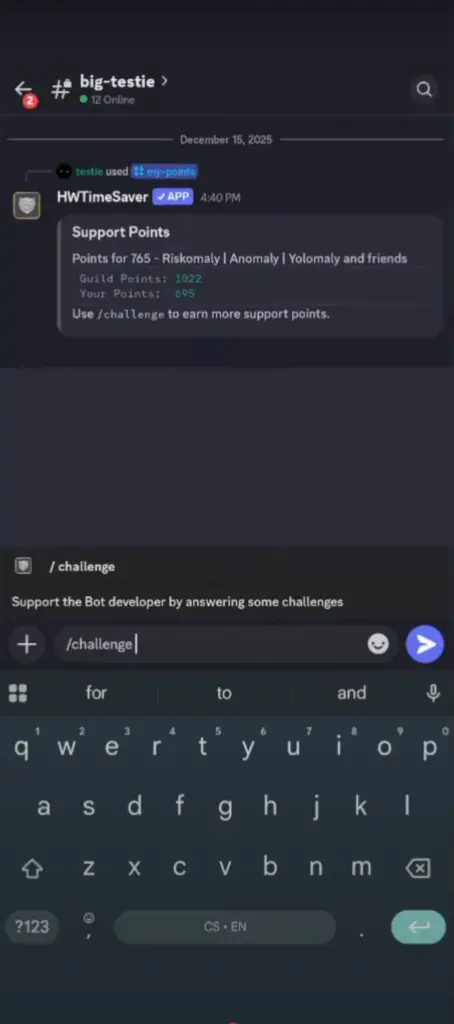
Development was driven by passion rather than obligation, ensuring that the tool is both stable and practical. After heavy testing and an open beta phase, it is now fully available to any Hero Wars Alliance player using Discord, with ongoing improvements focused on saving even more time.
Free Features in HWTimeSaver
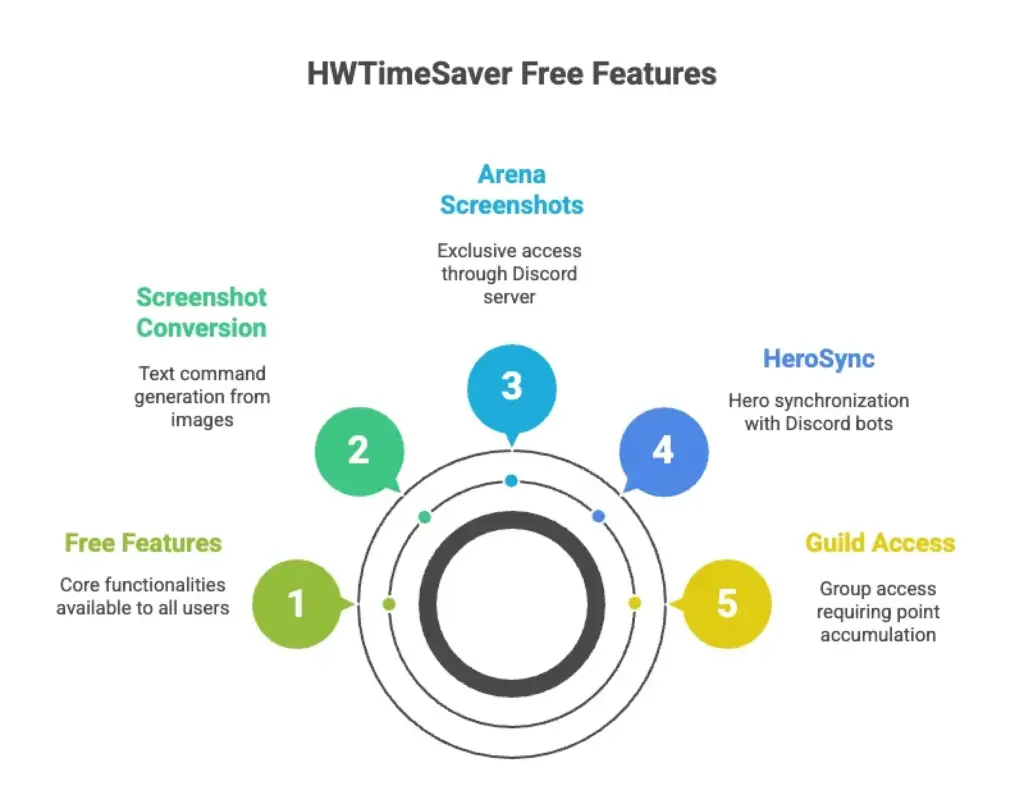
The bot offers several powerful features for free. Players can convert screenshots of Guild Championship and Guild War into text commands directly on their Discord server.
Arena screenshots are also available for free, but only through the official HWTimeSaver Discord server in the playground channel. HeroSync is another free feature, allowing players to synchronize their heroes and power levels with Discord bots. Individual access is unlocked by earning sixty personal points, while guild-wide access requires three hundred points.
Reaction-Based Commands
HWTimeSaver also supports reaction-based commands, which allow players to trigger actions simply by using emojis. For example, a printer emoji can activate a command, while reactions like a train, magnifying glass, bug, or puzzle unlock additional tools. This system reduces manual effort, making planning faster and more intuitive.
Installing HWTimeSaver on Discord
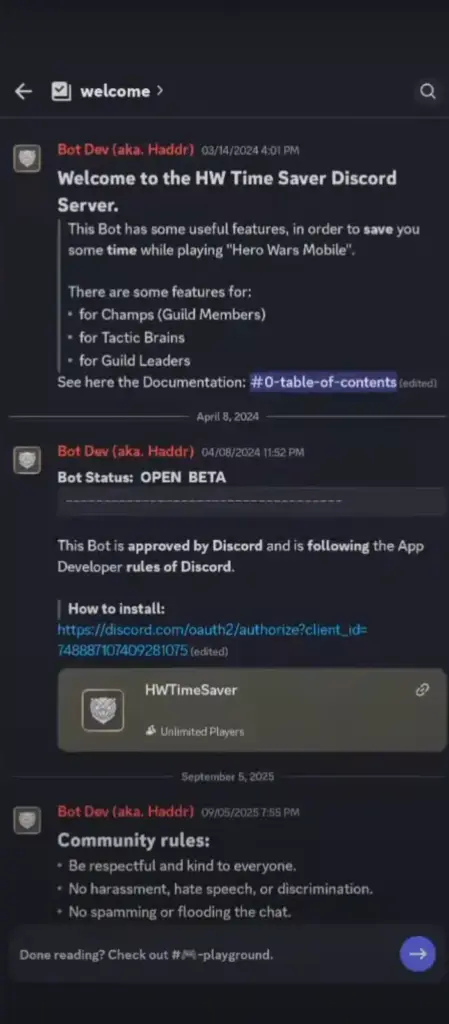
Installing HWTimeSaver is straightforward. Players start by clicking the invite link to reach the bot’s home Discord server, where admins provide guidance.
From the welcome channel, players can invite the bot to their own server, provided they have admin permissions. After adding the bot, it is essential to enable correct permissions, including viewing channels, sending messages, attaching files, adding reactions, and using application commands.
The bot works best when integrated with Hero Warbot, which it interacts with for most features. Once setup is complete, HWTimeSaver is ready for use.
Free Mode and Subscription Options
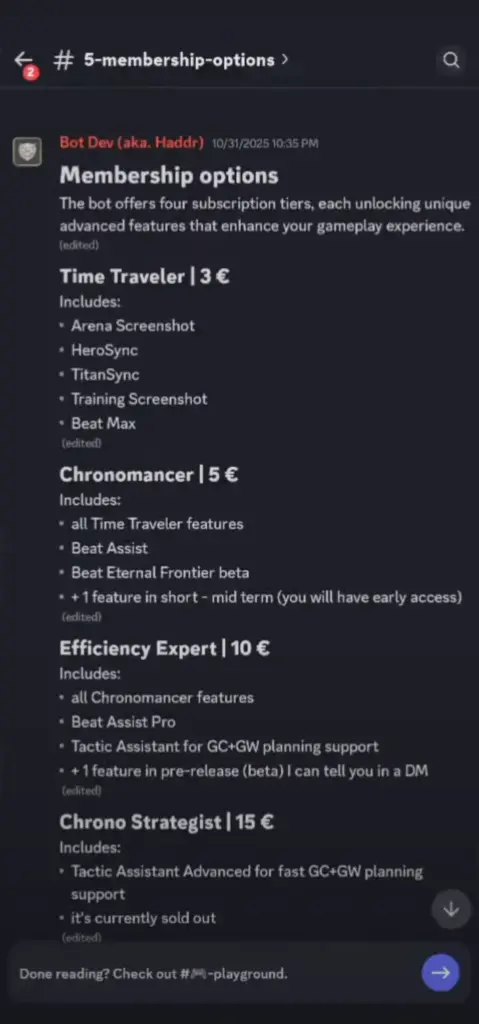
HWTimeSaver offers a free mode along with multiple subscription tiers that unlock advanced features. These include Arena screenshots, HeroSync, TitanSync, training screenshots, and other advanced planning tools.
Donors can unlock features for their entire guild server, and these features can be used across any server with HWTimeSaver installed. Two players can also team up to jointly support a subscription tier, sharing access to the benefits.
Why HWTimeSaver Enhances Hero Wars Alliance
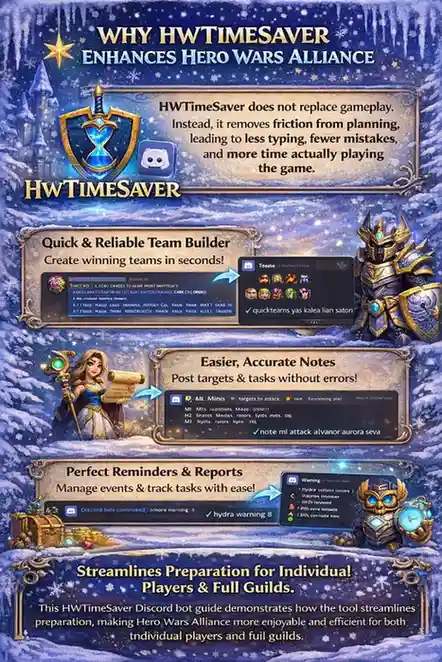
HWTimeSaver does not replace gameplay. Instead, it removes friction from planning, leading to less typing, fewer mistakes, and more time actually playing the game.
This HWTimeSaver Discord bot guide demonstrates how the tool streamlines preparation, making Hero Wars Alliance more enjoyable and efficient for both individual players and full guilds.
Conclusion on HWTimeSaver Discord bot guide
HWTimeSaver focuses on one simple principle: making planning in Hero Wars Alliance easier and faster. By converting screenshots into commands, offering reaction-based interactions, and providing flexible subscription options, it significantly reduces time spent on preparation.
Ultimately, HWTimeSaver allows players to stay efficient, minimize errors, and enjoy more gameplay while keeping planning tasks smooth and straightforward.
Check Out: Big Boy Bot Guide: The Ultimate Coordination Tool for Hero Wars Alliance
HWTimeSaver Eternal Frontier Guide
FAQS: Top HWTimeSaver Discord bot guide Questions
HWTimeSaver removes the need for manual typing and reduces errors by converting screenshots into usable Discord commands, saving time during planning.
HWTimeSaver was created by Haddr, a Hero Wars Alliance player and professional software developer, initially for his own guild.
Yes, it is now publicly available to any Hero Wars Alliance player using Discord.
Free features include screenshot-to-text conversion for Guild War and Guild Championship, Arena screenshots through the official server, and HeroSync unlocked through personal or guild points.
No, it is designed to reduce friction in planning and preparation, not replace gameplay, allowing players to focus more on playing Hero Wars Alliance.